
Stock movements
Returns
Add a customer return back into stock through a batch's Handle Return dialog.
Updated 2026-09-03
Open a batch and click Handle Return in the toolbar to add a customer's returned stock back into that batch (or a related one). What the dialog asks for — and what happens when you submit — depends on whether the batch is a pieces batch or a bulk (weight-based) batch.
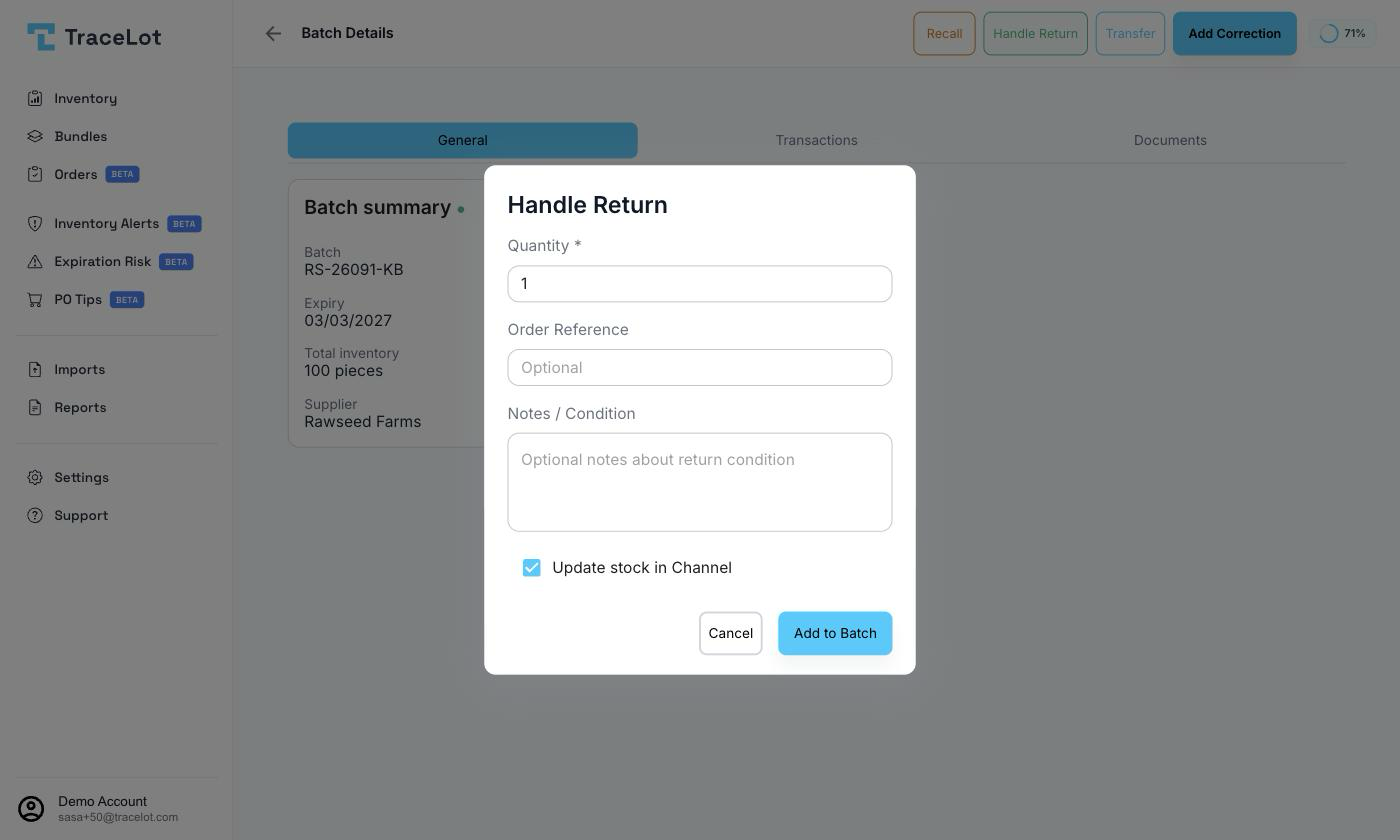
Customer returns
The Handle Return dialog fields are:
| Field | Shown for | Required |
|---|---|---|
| Variant | Bulk (weight-based) batches only | Yes — which pre-packaged variant the returned units are |
| Quantity | All batches | Yes, must be greater than 0 |
| Location/Aisle/Bin | Bulk batches only | Yes — where the returned, now-packaged stock will sit |
| Order Reference | All batches | No |
| Notes / Condition | All batches | No |
| Update stock in Channel | All batches | No — defaults to checked |
Fill in Quantity and, for a bulk batch, the Variant and Location/Aisle/Bin, then click the submit button — labeled Add to Batch for a pieces batch, or Create Return Batch for a bulk batch.
Returning to supplier
The Handle Return dialog only handles stock coming back from a customer. To record stock you're sending back to a supplier, use a correction with the reason Returned to supplier and a negative quantity — there's no separate supplier-return dialog.
What changes
What happens next depends on the batch's unit type, confirmed by the dashboard's own success message:
- Pieces batch — the returned quantity is added straight back onto the same batch via a RETURN ledger entry. Message: "Return processed successfully - Quantity added back to batch."
- Bulk (weight-based) batch — Tracelot creates (or tops up) a separate pre-packaged batch for the chosen variant, carrying the same batch code, expiry date, and supplier as the source bulk batch, with a description noting it came from a customer return. Message: "Return processed successfully - New batch created." If a batch with that same code, expiry, and variant already exists, the return is added to it instead of creating another one.
Leave Update stock in Channel checked to push the returned quantity to your connected sales channel, or uncheck it to update Tracelot only.