
Stop shipping stock in the wrong order.
TraceLot assigns the earliest-expiring in-date lot to every order line the moment it syncs — automatically, across every channel.
The problems that brought you here
REPUTATION
"A customer just received an expired product."
When allocation is manual or ignored, staff reach for the nearest box, not the oldest. Expired stock ships. One complaint can cost more than the order was worth.
WASTED STOCK
"We keep writing off stock that went past its date unsold."
Without FEFO, newer lots move first. Older stock sits at the back until it's worthless. Every write-off is a margin loss that didn't have to happen.
COMPLIANCE
"Our auditor wants to see how we pick the right lot."
Manually enforcing FEFO is hard to evidence. A documented, automated system leaves a clear record that allocation followed expiry order on every order.
What changes when you use TraceLot
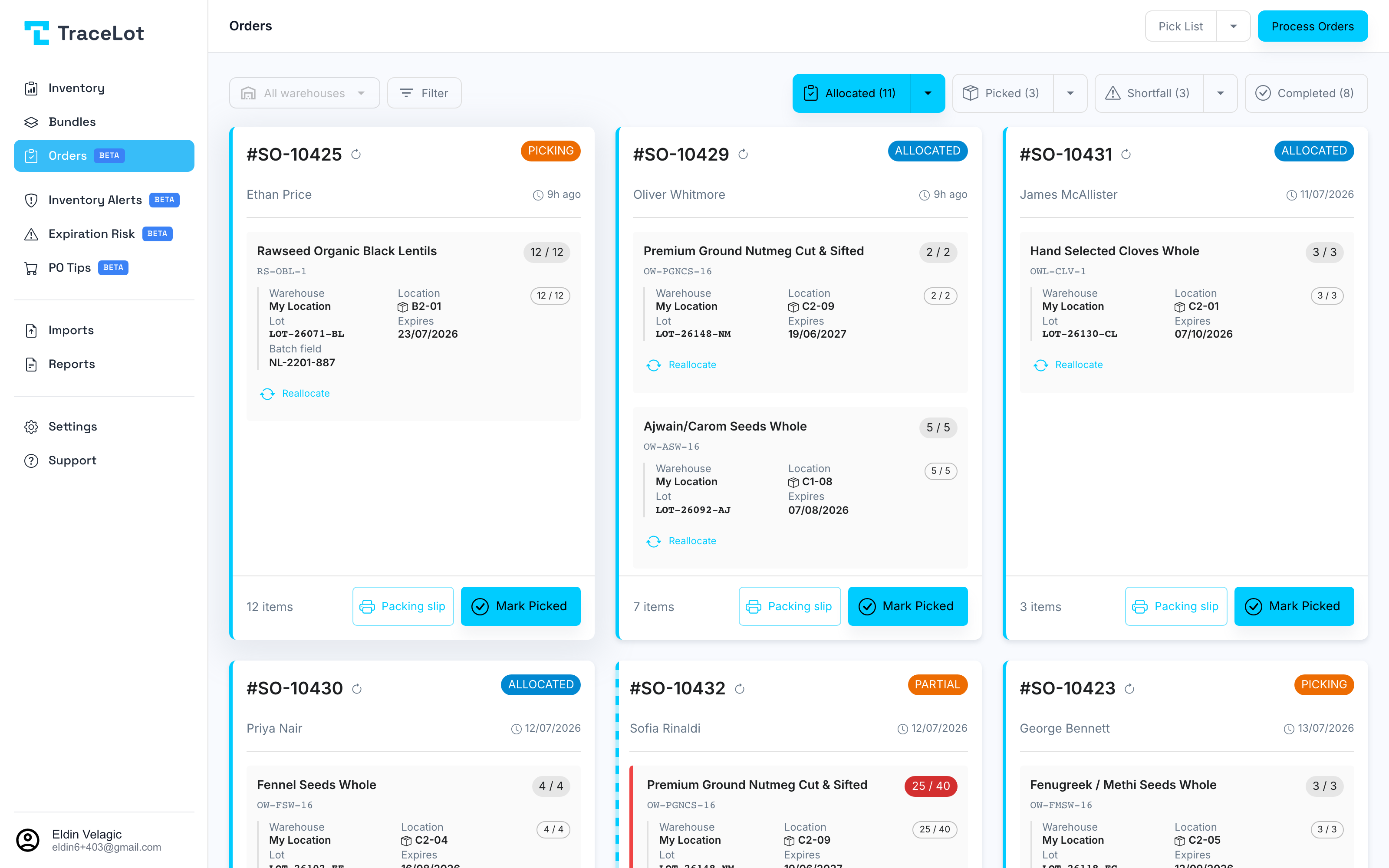
Automatic on sync
The moment an order lands from Veeqo or Shopify, TraceLot assigns the earliest-expiring in-date lot to each line. No manual step required.
Expired lots excluded
Expired lots are held from allocation automatically. They cannot be assigned to a live order line.
Bundle-aware
Bundles are resolved to their component products, each allocated to their own earliest-expiring lot independently.
Weight-based bulk lots supported
FEFO applies by weight for drum and barrel stock. The earliest-expiring drum is drawn from first, and an expired drum is held.
Manual override per line
Any order line can be manually reallocated or deallocated. Order status tracks pending → allocated → picking → picked → shipped.
Part of the same system
Recall readiness
One click from any lot page downloads the complete CSV: every shipped order, customer, quantity, and date. No spreadsheet archaeology.
Expiry risk forecasts
TraceLot uses your real order velocity to compute units at risk of expiring before they sell — so you act while there's still time.
Pick & pack lists
Bin-sorted pick lists with lot codes and expiry dates — printed for the floor, split by warehouse, with lot details on every packing slip.
Guides from the blog
Ready to see it in your warehouse?
First month free. No card required to explore the demo account.