
Your pickers need the right lot, not the nearest box.
Bin-sorted pick lists with lot codes and expiry dates — printed for the floor, split by warehouse, with lot details on every packing slip.
The problems that brought you here
PICK ERRORS
"The picker grabbed the wrong lot — again."
Without lot and expiry on the pick list, pickers use proximity and guesswork. Wrong lots ship. FEFO allocation in the system means nothing if the floor doesn't see it.
MULTI-WAREHOUSE CHAOS
"The pick list showed items from the wrong site."
When one order spans multiple warehouses, a single combined pick list creates confusion. Each site needs to see only its own items.
MISSING DOCUMENTATION
"The customer asked what lot was in their order."
If lot and expiry aren't on the packing slip, the customer has no record — and neither do you for the outbound side of your audit trail.
What changes when you use TraceLot
Pick jobs per warehouse
Pick jobs are created per warehouse so each site only sees the items it needs to pick. Multi-warehouse orders are split automatically.
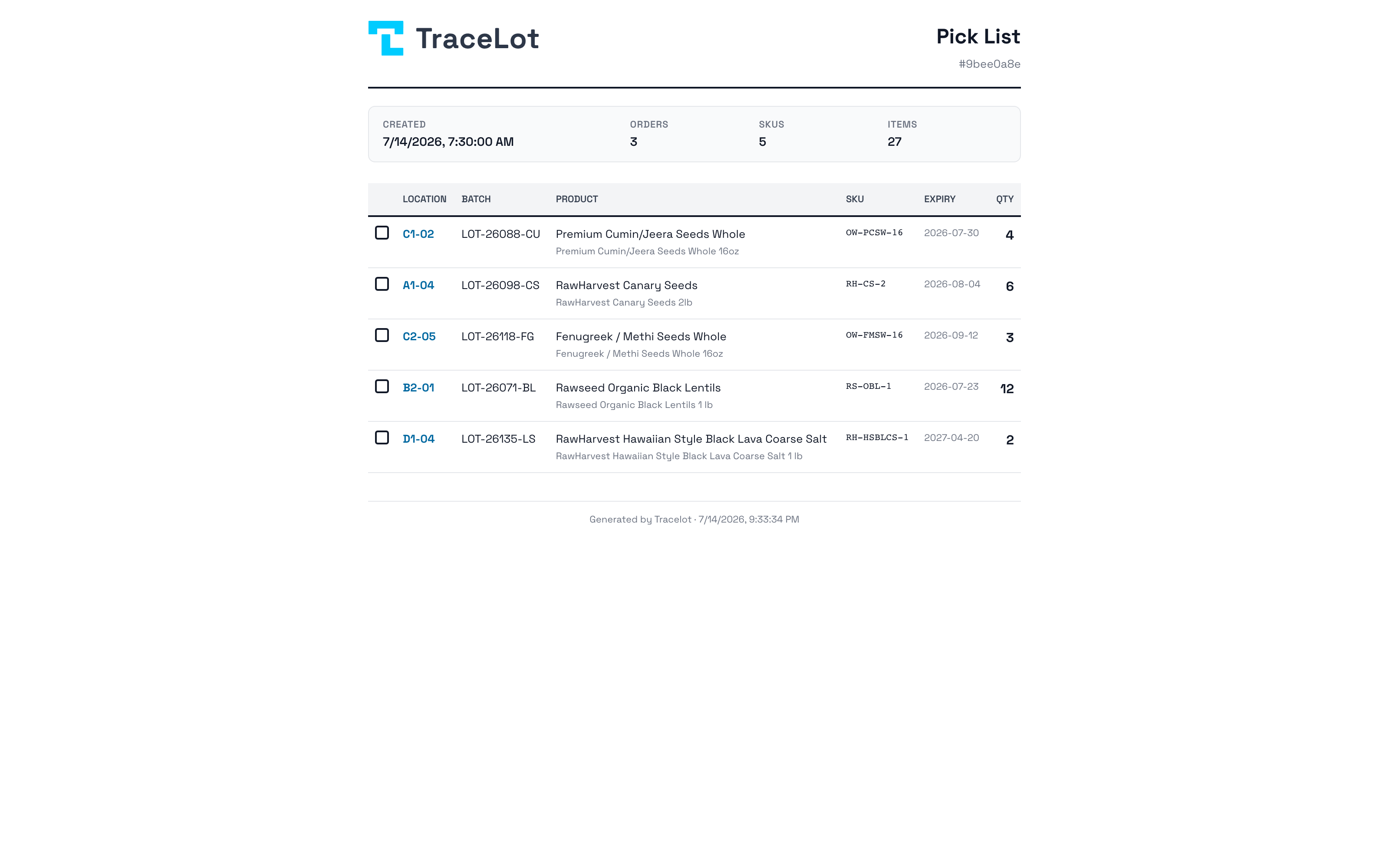
Bin-sorted pick list
Items are sorted by bin location so pickers move through the warehouse in order. Lot codes and expiry dates are printed on each line.
Packing slip with lot and expiry
Packing slip PDFs include lot code and expiry chips per order line, plus the order barcode.
Custom batch field visible to pickers
If you use a custom batch field (plant passport, COA number, country of origin), it appears on the pick list and packing slip for each line.
Part of the same system
FEFO allocation
TraceLot assigns the earliest-expiring in-date lot to every order line the moment it syncs — automatically, across every channel.
Warehouse transfers
Warehouse transfers in TraceLot preserve lot identity, record the movement in the batch ledger, and update channel stock levels automatically.
Plant passports & custom fields
Add a custom batch field with the label your industry uses: plant passport, COA number, country of origin. It flows from lot creation to picker to packing slip.
Guides from the blog
Ready to see it in your warehouse?
First month free. No card required to explore the demo account.