
Stock movements
Expired stock
What happens automatically when a batch passes its expiry date, and how to clear it out.
Updated 2026-09-03
Tracelot doesn't wait for you to notice an expired batch. A daily job checks every batch's expiry date and zeroes out anything that's passed, so expired stock stops being offered to orders on its own.
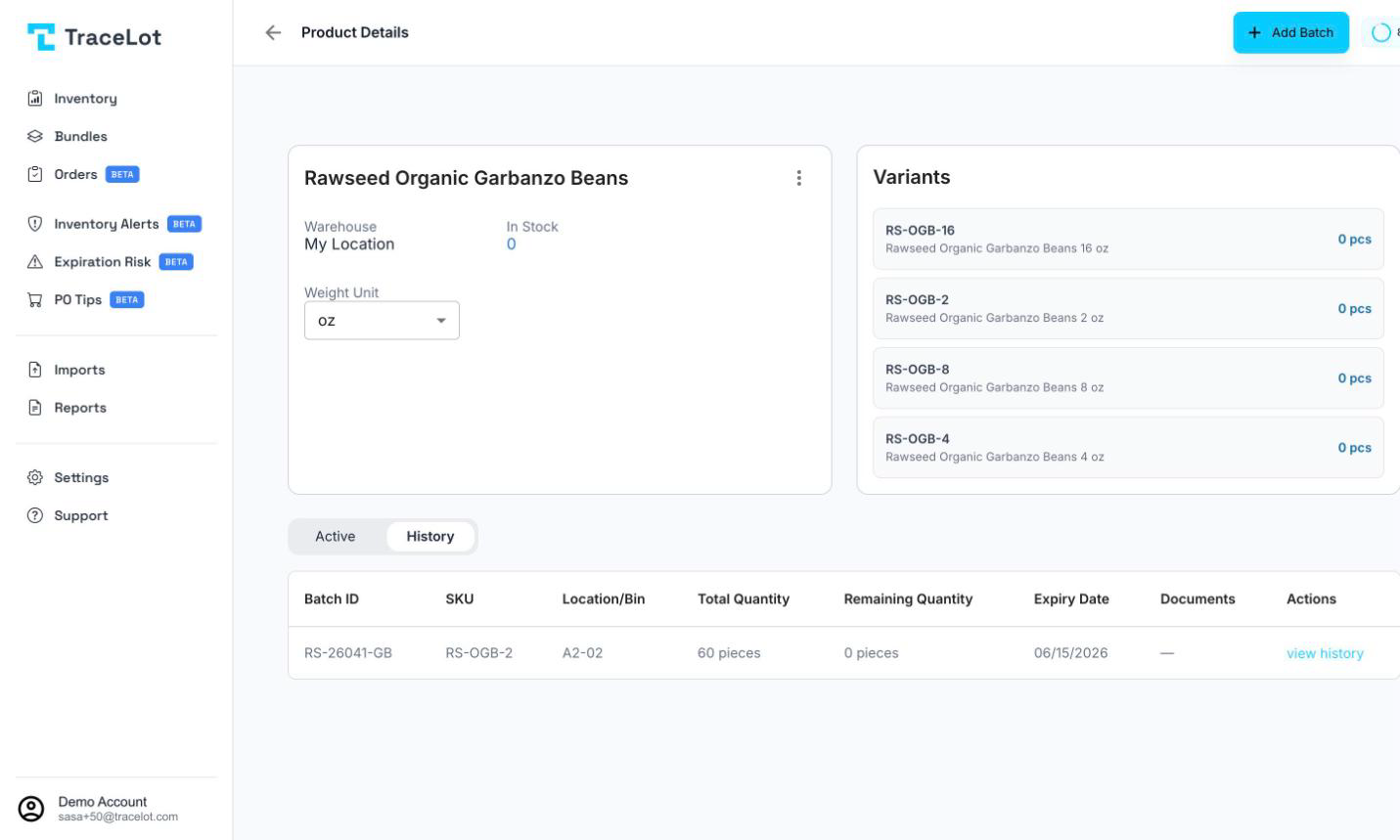
What happens at expiry
Once a batch's expiry date has passed, Tracelot's scheduled expiry check reduces its remaining quantity to zero and records the change in the batch's Transactions tab — the note reads "Batch expired on {expiry date}."
Because FEFO order allocation only ever considers batches with remaining quantity above zero, an expired batch is excluded from allocation as soon as it's zeroed — there's no separate "is this expired" check at allocation time, so a batch with stock left the day after its expiry date isn't skipped until the expiry check runs.
Note
If a connected channel has been opted in to receive expired-stock updates (an account setting per channel connection), Tracelot also pushes the same zeroing to that channel. Otherwise, the change stays local to Tracelot.
Finding expired stock
Once the expiry check has run, an expired batch shows up in its product's History tab — the same tab that lists any other batch with a remaining quantity of zero — rather than in Active. Its expiry date is still shown on the batch, so you can tell an expired depletion apart from one that simply sold through.
To catch batches before they expire, see Expiration risk and Stock alerts.
Disposing of it
The expiry check only zeroes the remaining quantity — it doesn't delete the batch or remove it from your records. If you're physically discarding expired product and it still shows a remaining quantity (for example, you caught it before the daily job ran), record that with a correction using the reason Expired inventory and a negative quantity. If the stock is instead moving elsewhere — back to a supplier, or out of tracking entirely — use a transfer or the Returned to supplier correction reason instead.